Notes
- Check the Selected Computational Thinking Analysis Papers for how you should or not prepare your analysis about the project.
- p5js website
- Presentations page
- RandomSeed IG link
week 1 - Recall Your Coding Knowledge
- 👀 Keep your eyes open. Choose a thing. Let’s say your favorite cup at your home, or a specific bird that you hear everyday, or your pet, or a tree at the campus. Review the example tutorial. On the last page of the tutorial, you will see that whenever you run the code, it generates different facial expressions.
- As we did in the previous semester, break it apart using CT principles. Redraw it using p5JS.
- Make it parametric. So whenever you run the app, determine its properties randomly.
- ⏫ Upload the sketch to your openProcessing account.
- ❗Submit the p5js link.
- 📖 Read Delusions of Dialogue: Control and Choice in Interactive Art
- 📺 Watch the videos on the last presentation page.
- 📖 Read Delusions of Dialogue: Control and Choice in Interactive Art
- 📺 Watch the videos in the presentation. Read about arrays
Selected Assignments A
Alara Yılmaz, Aylin Bursalıoğlu, Cansu Özbek, Deniz Sönmez, Duru Seyhan, Gizem Çobanoğlu ⭐, İdil Akan, İris Eryılmaz, Lana Jamal, Naz İpek, Zaman Khan
Selected Assignments B
Abeerah Malik, Aleyna Kabaklar, Azra Sadıkoğlu, Bahar Kızılkaya, Boray Ünlü, Duru Seyhan, Duygu Aksöz, İrem Apaydın, Kerem Alp, Kerme Yaşlıçimen, Zeynep Erol
week 2 - Object Oriented Programming
Assignments 1
- Convert the week 01 assignment to a class. Reference1, Reference2, Reference3, Reference4
- Create instances of your class by initializing it using different parameters.
- Create at least 10 different objects in different features.
- Position all of the objects in the same sketch. Do not create different sketches of each instance.
- ⏫ Upload the sketch to your openProcessing or P5JS account.
- ❗Submit the openprocessing or P5JS link.
- ❗Submit the sketch source code as zip file as well.
- 📺 Watch the video Mini Games
Assignments 2
I want you to first write a story for a mini game. The concept can be anything using the Object you used for the Assignment 1.
- Create a mini game interface. Keep the document size at 800 x 800 pixel and resolution to 72 DPI.
- Desing Intro Screen: A background, Clearly explain instructions to play the game.
- Design Game Scene: A background, the hero, and enemies
- Design End Scene: A background, the result of the game. SUCCESS or FAIL or CONGRATS!
- Export everything as PNG in appropriate size.
- ⏫ Upload the interfaces.
- 📺 Watch the video Mini Games
2025-2026
- Finalize the project that you started in class time. You have two options. Choose 1 or 2. It is optional to submit both of them.
- The challenge is whenever we run the code, the formalistic features of your Object (Class) change randomly.
- Upload a screenshot of your choice. Review the keyPressed() function in Example to implement into your code.
2024-2025
- Convert the week 01 assignment to a class. Reference1, Reference2
- Create instances of your class by initializing it using different parameters.
- Create at least 10 different objects in different features.
- Position all of the objects in the same sketch. Do not create different sketches of each instance.
- ⏫ Upload the sketch to your openProcessing account.
- ❗Submit the openprocessing link.
- ❗Submit the sketch source code as zip file as well.
Selected Assignments B
Abeerah Malik, Azra Sadıkoğlu, Boray Ünlü, Duru Seyhan, Duygu Aksöz, Kerem Yaşlıçimen, Zeynep Erol
week 3 - Control Multiple Instances
- 👀 Implement all of the scenes that you design for your game in P5Js.
- You can use the codes in my game and implement to yours.
- Fork my game template to adapt your game scenes.
- For those who have different game mechanics than my game, do your best. I want to see the implemented design in P5Js.
- ⏫ Upload the sketch to your openProcessing or P5JS account.
- ❗Submit the openprocessing or P5JS link.
- ❗Submit the sketch source code as zip file as well.
- 📺 Check the videos Former Student Games
- Refer to Game Library Section.
Games
- 2022_06_Game_Prototype_w_Timer by alptugan -p5.js Web Editor
- week04_Game_IntroScene by alptugan -p5.js Web Editor
- NazBilge_sound_interactive_game by alptugan -p5.js Web Editor
- DINO DINNER TIME
- game_prototype by alptugan -p5.js Web Editor
- 2022_07_Game_Prototype_w_GameScenes by alptugan -p5.js Web Editor
- ⭐ Basic_2D_Game_Prototype - OpenProcessing
2025-2026
- Utilize Arrays to dynamically control multiple objects.
- Distribute objects on the canvas.
- Animate them up/down, left/right
- Creative Coding Fest
2024-2025
- Write a mini game story.
- Design the storyboard. Keep the document size at 800 x 800 pixel and resolution to 72 DPI.
- Design Intro Scene: A background, Clearly explain instructions to play the game shortly. A button to start the game.
- Design Game Scene: A background, the hero, and enemies.
- Design Final Scene: A background, the result of the game. SUCCESS or FAIL or CONGRATS depending on your scenario.
- Export UI elements as PNG files.
- 📺 Check the videos Former Student Games.
week 4 - Game Design
- Submit screen-capture video of your game play. Keep it under 2 minutes. You have to do it properly. Convert the screen capture to mp4 video format using the Frame App (40 points).
- Read the article about Augmented Reality.
- Print a fiducial marker (20 points).
- Submit an augmented reality project as a pdf document. You don’t need to write the code. Submit only your project idea in appropriate format. Use reference images or drawings to explain your project. (40 points). Refer to the following video1, video2
2025-2026
Showcase of games on itch.io web platform, links
Making a software visual guide, link
Feedback for the games
Assignment
Dear all,
Let me clarify one thing. Those who do not attend classes submit irrelevant assignments. It does not mean that if your code is running, you will get high grades. This is a friendly reminder for you. Please read the LMS submissions carefully or ask your friends in the class before submission. For this game project, I won’t decrease anyone’s grade. But for the upcoming projects, if I receive irrelevant assignments, do not shock when you see your grades 🤷♂️. You’re warned!
For the next week, I want all of you to finalize your games. Each game must have 3 different scenes, as discussed in the lecture time. You will be graded according to your game interface design (40 points) and game mechanics (40 points).
- Submit the link to your project. (10 points)
- Submit a zip version of your project. (10 points)
- Submit screen-capture video of your game play. Keep it under 2 minutes. Convert the screen capture to mp4 video format. Handbrake Software tutorial (10 points)
For more information about the game format, visit the link.
2024-2025
- 👀 Implement all of the scenes that you design for your game in P5Js.
- You can use the codes in my game and implement to yours. Fork my [game template] to adapt your game scenes. For those who have different game mechanics than my game, do your best. I want to see the implemented design in P5Js. Please ask to me or your friends in class whenever you need help or get stuck!!! I can provide you tutorials and reference code snippets.
- ⏫ Upload the sketch to your openProcessing account.
- ❗Submit the openprocessing link.
- ❗Submit the sketch source code as zip file as well.
week 5 - Marker-based AR
Create the Augmented Reality project you submitted previous week.
OR
You have 3 options. Choose one below. Link to the tutorial. Review previous student works. Links are here
-
Art: Create an interactive AR sketch where the fiducial marker displays a unique piece of digital art or animation.
-
Education: Design an AR-based educational tool that uses fiducial markers to teach a concept (e.g., design, astronomy, biology, geography, or math).
-
Interactive Poster: Create a poster about a topic of your choice. You can use a material that you did before in your other typography or basic design courses. Attach the marker to the corner of your poster. Whenever, the user points the camera at the poster, it displays some more information or animation related to the printed design.
aYou can use a single or multiple markers if you want. Refer to the example sketch In this sketch you need to print the first 6 markers (0wFrame.png, 1wFrame.png, 2wFrame.png, 3wFrame.png, 4wFrame.png, 5wFrame.png) from the following link.
General Submission Guidelines for All Assignments:
- Code Submission: Submit the p5.js or openProcessing link.
- Zipped Project Folder: Compress the entire project folder. Upload on LMS.
- Proof of Concept Video: Record a video using your mobile phone’s screen recorder to demonstrate the AR application in action. The video should clearly show the fiducial markers being detected and the AR content responding accordingly.
Other than p5JS addon. there is a more advanced web-based AR library built with JS MindAR | mind-ar-js
2025-2026
Review the last year student works from the following link1 and link2.
PLEASE READ CAREFULLY!
You have 3 options. Choose one below.
- Art: Create an interactive AR sketch where the fiducial marker displays a unique piece of digital art or animation.
- Education: Design an AR-based educational tool that uses fiducial marker to teach a concept (e.g., design, astronomy, biology, geography, or math).
- Interactive Poster: Create a poster about a topic of your choice. You can use a material that you did before in your other typography or basic design courses. Attach the marker to the corner of your poster. Whenever, the user points the camera on to the poster display some more information or animation related to the printed design.
You can use a single or multiple markers if you want. Refer to the example sketch In this sketch you need to print the first 6 markers (0wFrame.png, 1wFrame.png, 2wFrame.png, 3wFrame.png, 4wFrame.png, 5wFrame.png) from the following link.
General Submission Guidelines for All Assignments:
- Code Submission: Submit the p5.js source code and any additional assets (images, sounds, etc.) used in the project.
- Zipped Project Folder: Compress the entire project folder.
- Proof of Concept Video: Record a video using a mobile phone to demonstrate the AR application in action. The video should clearly show the fiducial markers being detected and the AR content responding accordingly.
Sign up for a free account on the GitHub web page due to the upcoming class.
Augmented Reality
- Your games must be finished and finalized.
- I don’t want to hear any apologies or last day help requests.
- Upload your whole sketch folder.
- Submit the link of your game.
week 6 - ML with Teachable Machine
Assignment
- Objective: Create a custom trained model as we did in class with your own objects.
- Instructions: Gather at least 3 distinct objects.
- Bring the objects with yourself to the upcoming class.
- Upload the video of your Teachable Machine page in action as a proof of concept.
Assignment 2
- 👀 Review the ml5.org website for other Machine Learning tools related to sound, images, and human poses. Review the selected student works from previous year.
- 📖 Research about creative coding projects
- ⏫ Submit the draft project idea in pdf format…
2025-2026
Watch the following videos in order.
- Introduction to Machine Learning
- Pose Detection
- Hand Pose Detection with ml5.js
- Face Mesh with ml5.js
- ml5.js 1.0 and Guest Conductor Patt Vira
Assignment 06
Option 1: Choose one of your algorithmic art assignments code from the last semester or create a new algorithmic art sketch. When we run the app, the user can change the properties of your art work by using his/her hand gestures. Use the code Hand Pose Detection with ml5.js as reference. Watch related videos and review the code examples on the page to get inspiration.
Options 2: Create three different masks in Photoshop or Illustrator. Upload the masks to your project. Use the code Face Mesh with ml5.js as reference. Whenever we run the app, make the app chooses randomly one of the masks and display on the user’s face.
Assignment 1: ML
- You can use face, hand, or body position to move your character. Refer to the example code that I wrote in class time.
- Upload the link of your sketch
- Upload The codes as well in zip format.
Assignment 2: Mask
- You can choose whatever image you want.
- You can create illustration using simple shapes.
- We will write the code in class time.
- Upload the image you choose.
- References : Computational Mask Repo, Generative Masks, Ref3
week 7 - ML (Project Showcase)
Create a group project using Google Teachable Machine and P5JS.
Choose one of the project ideas below or you can choose a different theme.
Tutorial about how to use trained models in p5js. Also check previous student projects related to machine learning. Refer to previous presentations and LMS entries.
Answer the following questions for your project and upload the project document as pdf file.
- What is the name of your project?
- What kind of design issue does your project solve?
- How does your project solve that issue?
Submission Requirements
- 🔗 Code link
- 📦 Source_code.zip
- 📺 Screen capture the video of your project. ⏫ Upload it as mp4.
- Project document as pdf file.
(Option 1) Interactive Digital Art Installation
Objective: Create an interactive digital art piece that responds to real-world objects.
Collect and Train: Gather at least 10 distinct objects. Integrate the trained model into a p5.js sketch. Design visual elements that change based on the detected object. For example, displaying different animations or colors corresponding to each object.
(Option 2) Educational Game
Objective: Develop a simple game that teaches users about the objects recognized by the classifier.
Collect and Train: Select 10 educational items (e.g., fruits, geometric shapes, tools). Train a model using Teachable Machine to identify each item. Create a p5.js game where users present objects to the camera. Provide feedback or facts about the object upon correct identification.
(Option 3) Assistive Tool
Objective: Build a tool that aids individuals with visual impairments by audibly identifying objects.
Collect and Train: Assemble 10 everyday objects. Train an image classifier using Teachable Machine to recognize these items. Integrate the model into a p5.js sketch. Implement functionality to speak the name of the detected object using the p5.js sound library.
2025-2026
Review the selected student works from previous year.
You may choose one of the following:
2024-2025##### Please READ💢
No Late Submissions❗❗❗If you don’t understand ask me, or your friend, or to an AI chatbot.
- Use Decomposition, Flow, Translation, and Algorithm Design steps for your mask generation. I want to see how you implement your ideas. Upload text, diagram or any kind of material that you include your programming activity. Create a pdf for your design process as I show you in the presentation. You don’t need to include material for the Algorithm Desin section since your codes on openProcessing is the last step actually. (40 points) Tutorial
- Write down the mask code. (20 points)
- Apply ML5 library to enable head tracking on camera. (20 points)
- Head Tracking Code: ML5 Face Tracking Example
- Head Tracking With Mask Implementation Code: Face Tracking with Mask Example
- Skim the attached document (Form+Code Book, Repetetion pg. 42-65)
- Choose an image that includes repetition in the artwork from the follwing link.
- ❗Submit the openprocessing link.
- ❗Submit the sketch source code as zip file as well.
week 8 - FaceAPI with ML5
Assignment 1 (50 points)
- Create three additional mask illustrations using the same UV texture map used during class.
- Modify your application to detect multiple faces and assign a random mask to each detected face.
- Upload a high-quality video as proof of the multi-face detection in action with randomly chosen masks in MP4 format.
- Submit the source code on the LMS.
- Refer to the article. Do not copy/paste all the codes. First, READ and WATCH what is on the page. Then try it by yourself. If you get stuck, you can ask. Do not send me email without any context, or I do not reply. FYI.
Don’t
- Student: My code does not work.
- Instructor: No reply.
Do
- Student: I’m in COD 208 B section. Here is link to my code (https://editor.…). I tried to implement the code as described on the article. But I got error around the line 35…
- Instructor: Replies…
Assignment 2 (50 points)
- Update your Week 07 Machine Learning assignment. Ensure the design is relevant to your project concept and maintains visual balance (alignment of UI elements, grid layout, typography, color palette, etc.). Record a proper, high-quality video of the result.
- Submit the video in MP4 format.
2025 - 2026
Personal Portfolio Inspiration
The only web design inspiration sites you need:
Build, Share, and Explore Developer Portfolios → Portfolio creation guides
http://curated.design → My personal fav
http://land-book.com → Large selection
http://landing.gallery → All niches
http://saaslandingpage.com → SaaS
http://admiretheweb.com → Unique
http://supahero.io
Would add http://mobbin.com to this!
unicorn.studio — No-code WebGL Tool
Some other list of inspirational projects to check.
Built At Lightspeed - 4000+ Themes, Templates & UI KitsThe world’s largest marketplace of themes, templates and UI kits for the modern stack.
Hand pose Examples
p5.js Web Editor | Hand Pose Thumbs Up or Down
Pose Net
Object Detection and Speech Synthesis
Teachable Machine
2024 - 2025
- Finalize the code and submit the source code and openprocessing link.
- Choose the most appropriate options for the artworks included in each survey. You can choose multiple choices.
week 9 - COMFYUI integration
week 10 - Data Vis - REST API
New example on fetching image via rest API DOG API
2025-2026
Load a CSV dataset and create a static data visualization that reveals interesting patterns, comparisons, or distributions. Your visualization should be visually engaging and thoughtfully designed. Do not forget to include a legend in your design.
Inspiration:
- Look at Information is Beautiful for creative static visualizations!
- p5JS Class Code Example - Starwars data visualization
- Datavis with p5js → tutorial
- In class codes → datavis-sectionA
- In class codes → datavis-sectionB by alptugan -p5.js Web Editor
- Datavis projects built with p5js → The Data Garden Collective
Suggested Datasets (or find your own):
- Weather Data (temperature, rainfall by city)
- Movie Ratings (scores, genres, budgets)
- Sports Stats (player performance over time)
- Social Data (population, income, education)
Submission Guidelines:
- Submit p5JS link
- Your project must include a relational data visualization
- Include a legend into your project that gives information about your visual entities
- DO NOT COPY/PASTE AI response as submission. You can use AI but you must customize the code and design.
- Submit source code as a zip file.
Mood board & Final Project Proposal Submission Guideline:
- Submit your mood board as a separate JPG file.
- If you have already had a specific idea about the final project, you must prepare a document, diagram, illustration, or anything that visualizes your project to help us understand the details.
week 11
Project Proposal Submission
- Game Showcases
- Side Scrolling Dog Game Use space to jump. Hold shift to speed up. Collect bones. Runaway from obstacles. Pixelart game.
- Platformer Game
- Line Physics Game
- One Million Particles
- Online Events
API Calls
Check the following page (List of Free Rest APIs) to access more API-related content resources in the free version.
Machine Learning
Reference: Daniel Schiffman
1: Introduction (9/5)
2: Transfer Learning (9/12)
3: Pre-trained models 1: Body (9/19)
4: Pre-trained models 2: Face and Hand (9/26)
- Facemesh Generates facemesh…
- Lip Drawing Extract shapes from another shape.
- Finger Tracking Generates particles attached on index finger
- Finger tracking 2 Generate custom shape using index finger and finger tip.
- NUI with fingers Scale up/down the loaded image real-time
5: Training a Neural Network 1 (10/3)
6: Training a Neural Network 2 (10/10)
7: ml5.js project presentations (10/17)
8: Introduction to Transformers.js (10/24)
9: Language Models (10/31)
10: Image Generation Models (11/7)
11: Final Project Proposals + Fine-Tuning (11/14)
12: Final Project Proposals + TBD (11/21)
13: Final Project Play Testing (12/05)
14: Final Project Presentations (12/12)
Final Project Instructions
✍️ If you think that your project is ready, fill out the submission form also. Click the link to download Project Template
Final Project Grading Policy
As it is declared in the course syllabus, your final project has 30% weight on your final grade. You will be graded according to the following criteria;
| Description | Points |
|---|---|
| Detailed Comments in the Code | 20 PTS |
| Use of Variables | 20 PTS |
| Aesthetics, Design Balance, Context | 20 PTS |
| Project Documentation | 20 PTS |
| Presentation | 20 PTS |
| TOTAL | 100 PTS |
🧠 You are free to propose any project idea as long as it includes programming.
If you need a topic or theme, you can utilize one of the following concepts;
- A project including machine learning ideas using → ml5 library
- A project including interactive platform games. Check previous students’ works → 1, 3, 4, 5, 6, 7, 8
- Interactive educational applications and games. Check previous students’ works → 1
- Puzzle games → 1
- Sound interactive games and applications → 1, 2
- Interactive applications about a specific theme → Travel Guide, Cancel Culture
- Interactive illustration stories → 1
- Audiovisual VJ apps → ASCII-art, Drum Performance Visualizer, Op-art, The Story of Nothing
- Skeuomorphic conceptual applications → 1
- Generative Art (Recursion, Fractals) → 1
- Generative Art (Image Processing) → 1
- Generative Art (Abstracted formalism) → Fish, Generative Logo
- A project including Algorithmic Art Praxis. Choose multiple categories from the cheat sheet that I distributed to you in class and create series of artworks according to a theme and print them to fine papers. Check the existing artworks to get inspired → link. You can view specific category items using ALAP website.
Selected Final Project Proposals
- Final Project - moodboard Ceren_kazaz.docx
- Naz_İrem_Sevinc_COD 207 Final Project Porposal.pdf
- AlmiraOguz_Final_Project_Proposal_COD208_B.pdf
- Bad Example: Emre.Tunali.Final.Project.Proposal.COD208.B.pdf
- ⭐ Iris_Eryilmaz_FinalTemplate.docx
- COD208-Project Template.docx
- kerem.alp.cod.208.project.template.pdf
- Kerem.Yaslıçimen.COD208.Proposal.docx
Project Documentation
kerem.alp.cod.208.final.mp4
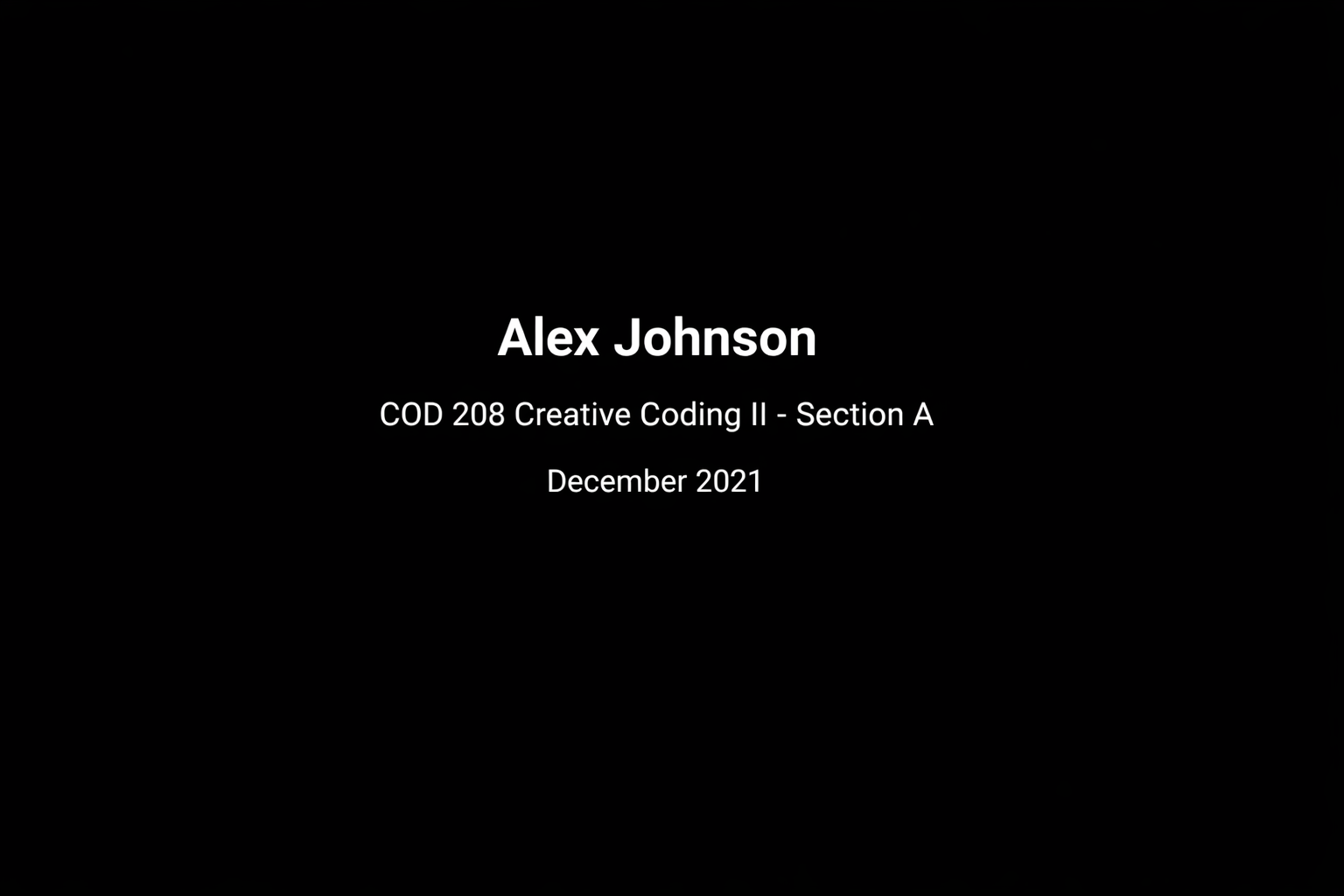
Your documentation video is the primary representation of your final project. To ensure clarity and professionalism, follow these steps:
-
Video Quality
- Record in clean, high resolution (minimum 1080p).
-
Opening Screen (max. 5 seconds)
- Begin with a black screen displaying:
- Your full name
- Course name and section
- Date
- Use a sans-serif font (e.g., Roboto).
- Begin with a black screen displaying:
-
Project Introduction
- Provide a brief overview of your project in the next scene.
- Keep it concise: maximum three sentences, delivered as text or voiceover.
-
Recording with Phone
- Ensure proper framing and stable shots.
- Avoid shaky camera movements.
-
Screen Recording
- Keep the project video full screen. Do not stretch or crop the video. Fit into 1920x1080 area. You can set the remaining parts white or black. reference
- Do not show code and output side by side.
- First present the code in one scene, then show the generated output in a separate scene.
Resources
WebSockets + WebRTC + Arduino (Physical Computing)
Creative Code Syllabus at Devin University
ML5 Related
Neural Network Model Training
Golan Levin Example Codes
AI & ML
- 2026-Content Update, What is Augmented Reality
- Introduction
- ml5.js Website
-
ML Guitar Effect Control Modify the guitar effect pedal parameters via ML5 faceAPI ml5 Interface
ML5 Face Api - Mask Create a mask illustration. Make it detect by the library. ml5 tutorial -
ML5 Hand Pose Detection Hand and finger tip detection. tutorial
-
Flappy Bird NUI Playing Flappy Birds via body gestures. ml5 game
-
Elemental Powers AR Displays abstracted imagery of earth elements like water, wind, fire, soil… ml5 Interface game
-
Body Painting Creating generative art via yoga gestures. ml5 generativeart
-
Posenet Xylophone Blocks produce notes when left or right hand occupies the same space on the screen. ml5 Interface music
-
Volume up/down Volume up or down a signal according to the user’s ankle movement.
-
Head Tracking Piano Switch the notes via angle of the nose, and play the notes by opening mouth. ml5 Interface music
-
Body Pose Music Play and switch the notes according to the user’s body control points. ml5 Interface music
-
⭐️ Space Oddity - Performance w/ Posenet This performance uses the Posenet library in ml5.js to project the face of David Bowie as an image which follows my face during the performance. The lips moved based on the volume of my singing by using the Amplitude() object in the p5.Sound library. The other visuals in the sketch are also made in p5.js.. ml5 Interface audiovisual
-
Teachable Machine - Sound Sound classifier to play snake game with different spoken words. tutorial ml5
-
Teachable Machine - Pose YMCA song with body gestures. The tutorial might be outdated. Check the following tutorial tutorial ml5 game
-
Teachable Machine - ImageHow to train model based on different images. tutorial
-
Painting with Body Creates symmetrical drawing via hand gestures.
-
Hand Pose - Emoji Display an emoji according to prerecorded poses. ml5 Interface
-
Guitar Chord Extractor Displays chords according to user hand pose. ml5 music
-
ML5 Machine Learning In JS The complete playlist of Daniel Shiffman.