1. Edit the daemon.json File
If it doesn’t exist goto /etc/docker folder and create daemon.json file. Paste the following lines;
{"hosts": ["tcp://0.0.0.0:2376", "unix:///var/run/docker.sock"]}2. Edit the override.conf File
Goto /etc/systemd/system/docker.service.d/override.conf. If the folder and the file don’t exist, you can create the folder and file respectively and paste the following;
[Service]
ExecStart=
ExecStart=/usr/bin/dockerd
3. Reload the daemon and Restart the Docker
# Reload daemon
sudo systemctl daemon-reload

# Restart docker containers
sudo systemctl restart docker.service
4. Edit docker.yaml File
Open CasaOS file explorer, and goto config folder.
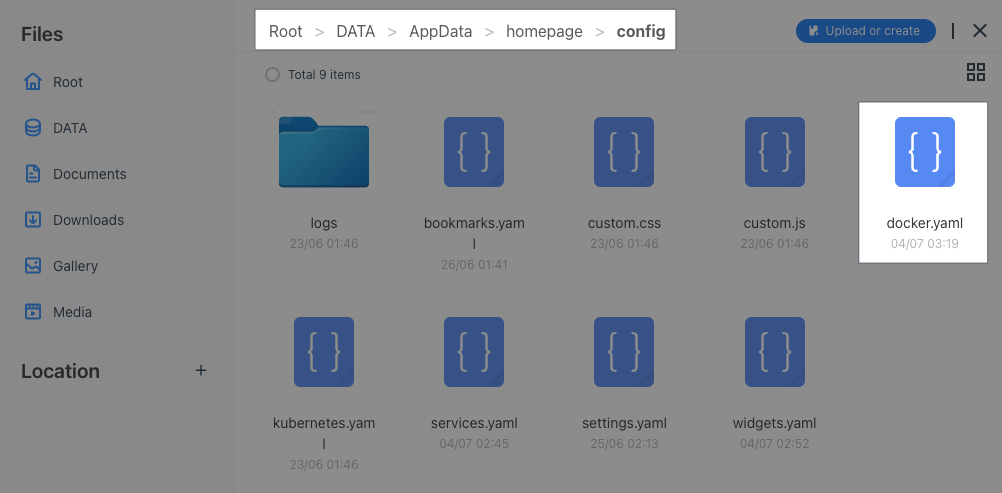
Configure the file as follows;
my-docker:
	host: 192.168.1.247
port: 2376my-dockeris the name of your origin docker. It can be anything.hostis the ip address of your docker containers. If they are in the same IP type it explicitly.portThe port number must be same as it is in thedaemon.jsonfile.
5. Edit the Services.yaml File
Refer to the list of available widgets that are compatible with Homepage Dashboard via the link. The services.yaml should look like as follows;
![[homepage_docker_02.jpg | AdGuard setup in services.yaml file]]