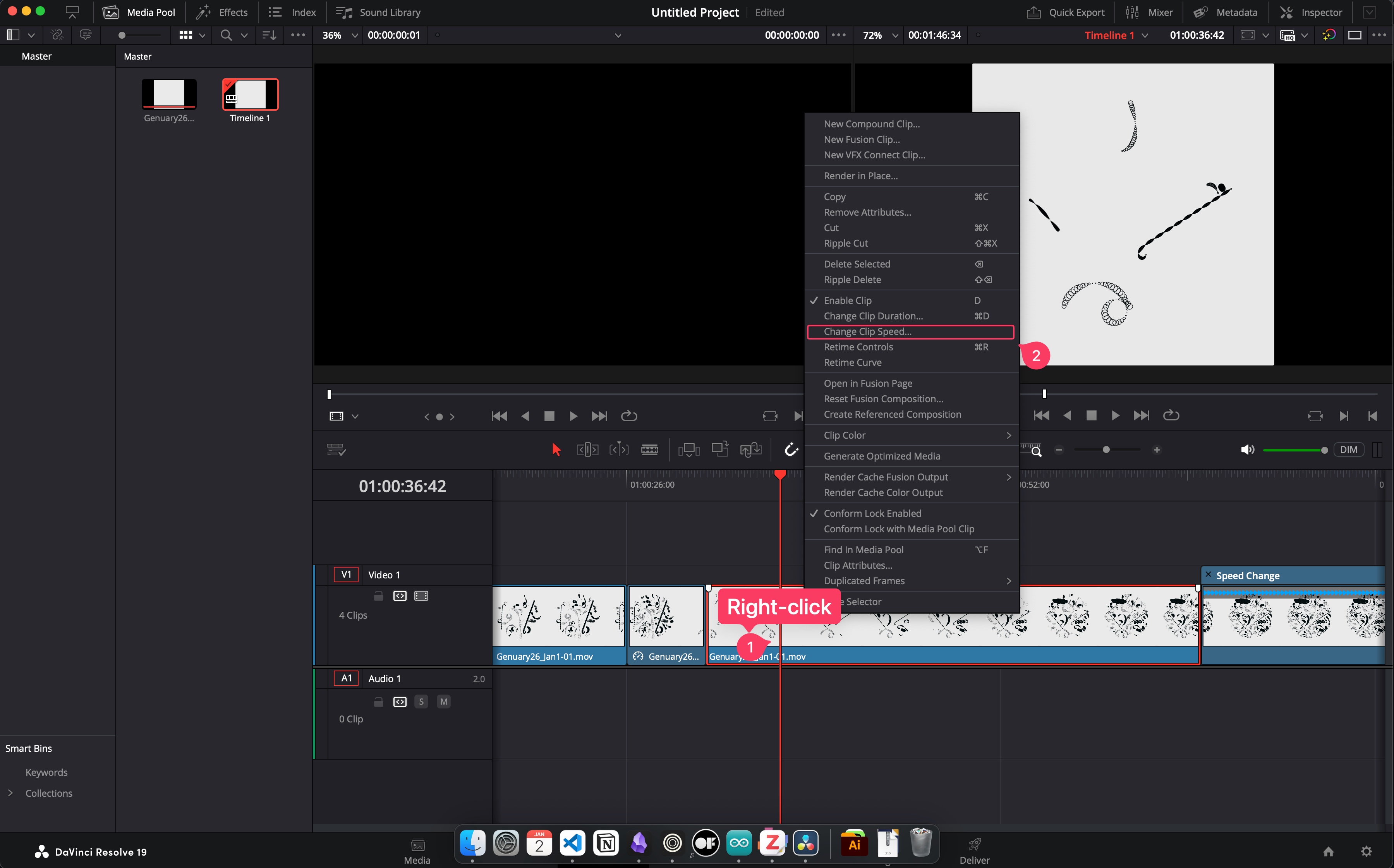
Method 1: Context Menu
- Right click on the video part
- Choose
Change Clip Speed
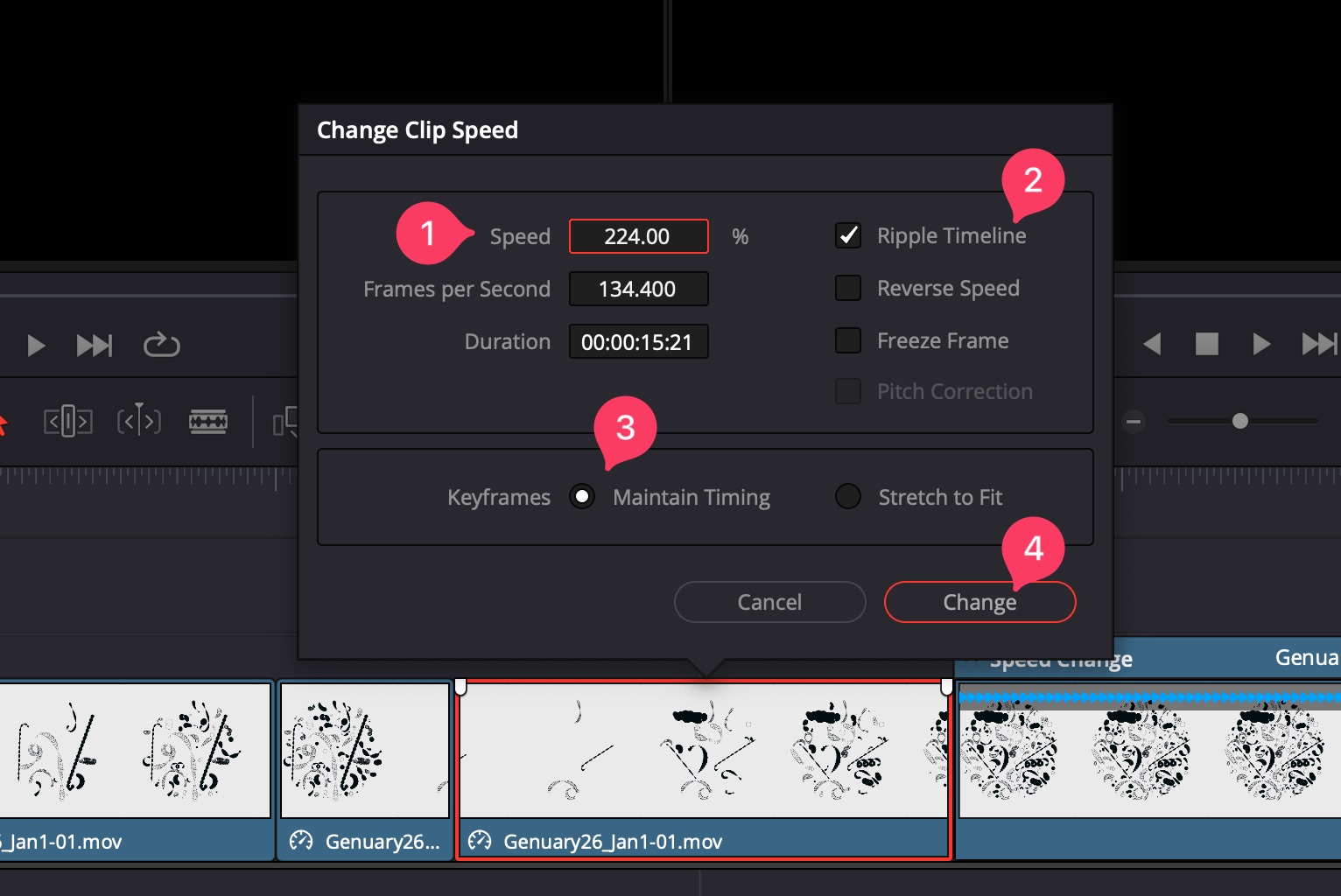
Set the speed of the video playback as follow;
Speedsection adjusts the playback speed. E.g.,100%actual speed. If you set it200%, the video playback becomes 2x speed.- Enable
Ripple Timeline - Keyframes section set to
Maintain Timing - Hit
Changeto apply speed adjustments.
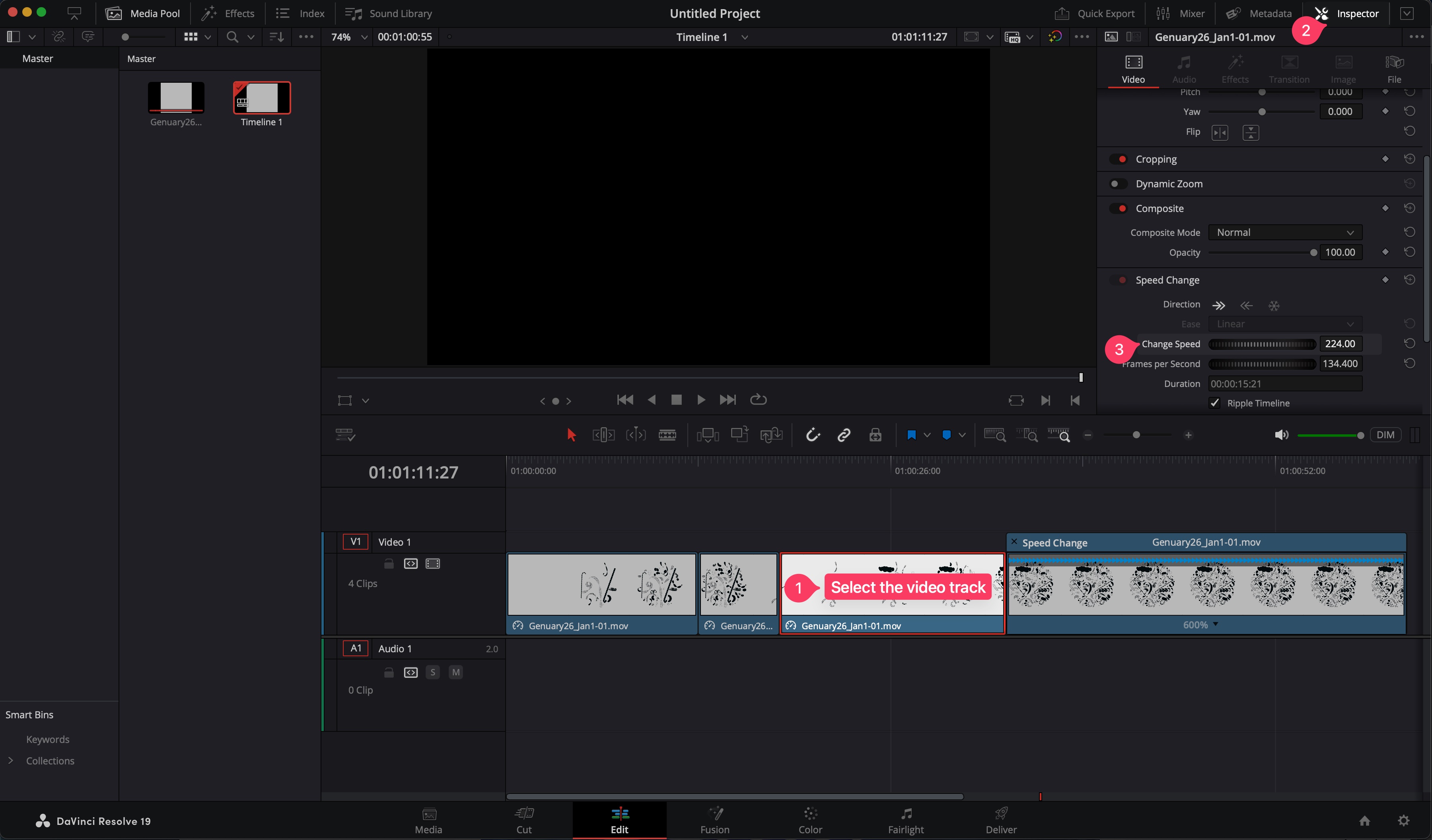
Method 2: Inspector Menu
You can use the inspector menu to adjust speed on the fly. It is much efficient and faster than the previous method.
- Goto
Inspectorpane on top-right corner of the application window. - Scroll down the content and find
Speedsettings section. - Adjust the speed using the UI dial.