ESP32 C3 is a microcontroller unit (MCU) similar to Arduino Uno. It is a tiny MCU including onboard Wi-fi and bluetooth and suitable for ioT projects. In theory, anything works on Arduino board, can be uploaded to ESP boards as well. We will use Arduino IDE to upload programs.
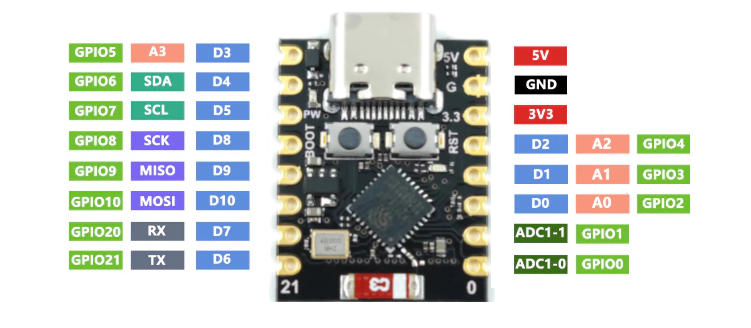
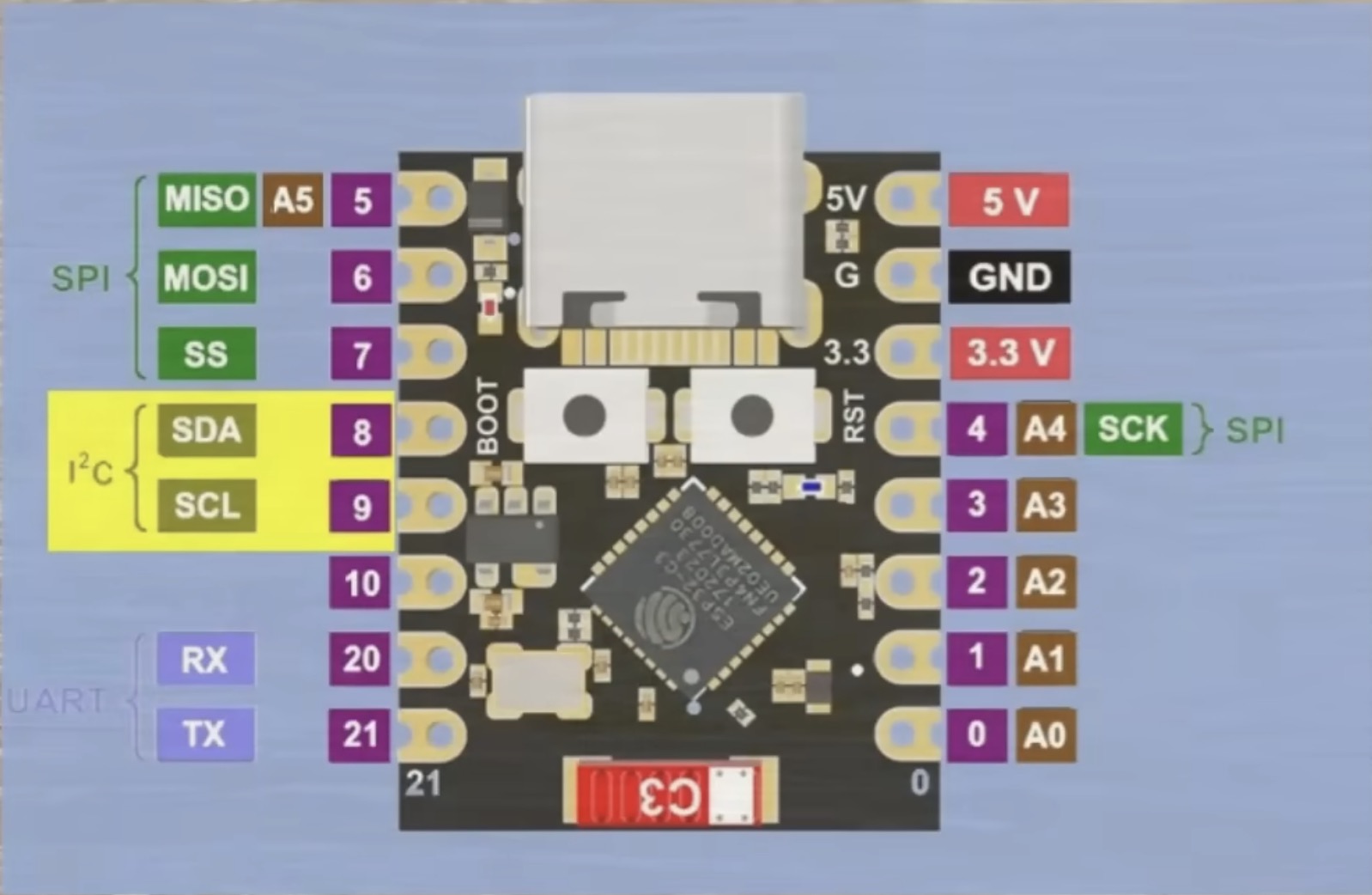
The following pin-out diagram is collected from the following video.
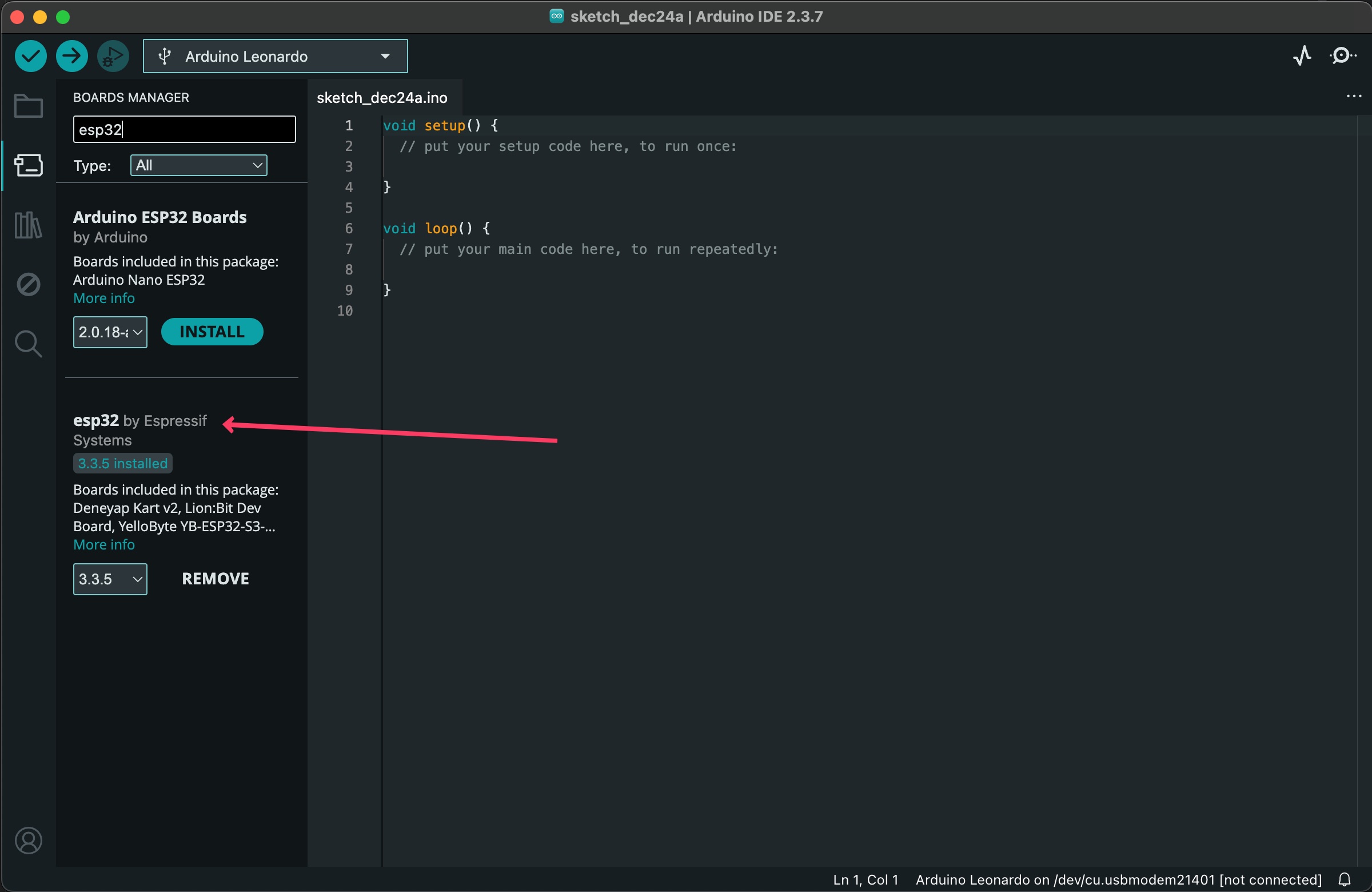
1. Instal ESP32 boards: Open Arduino IDE and switch to boards section.
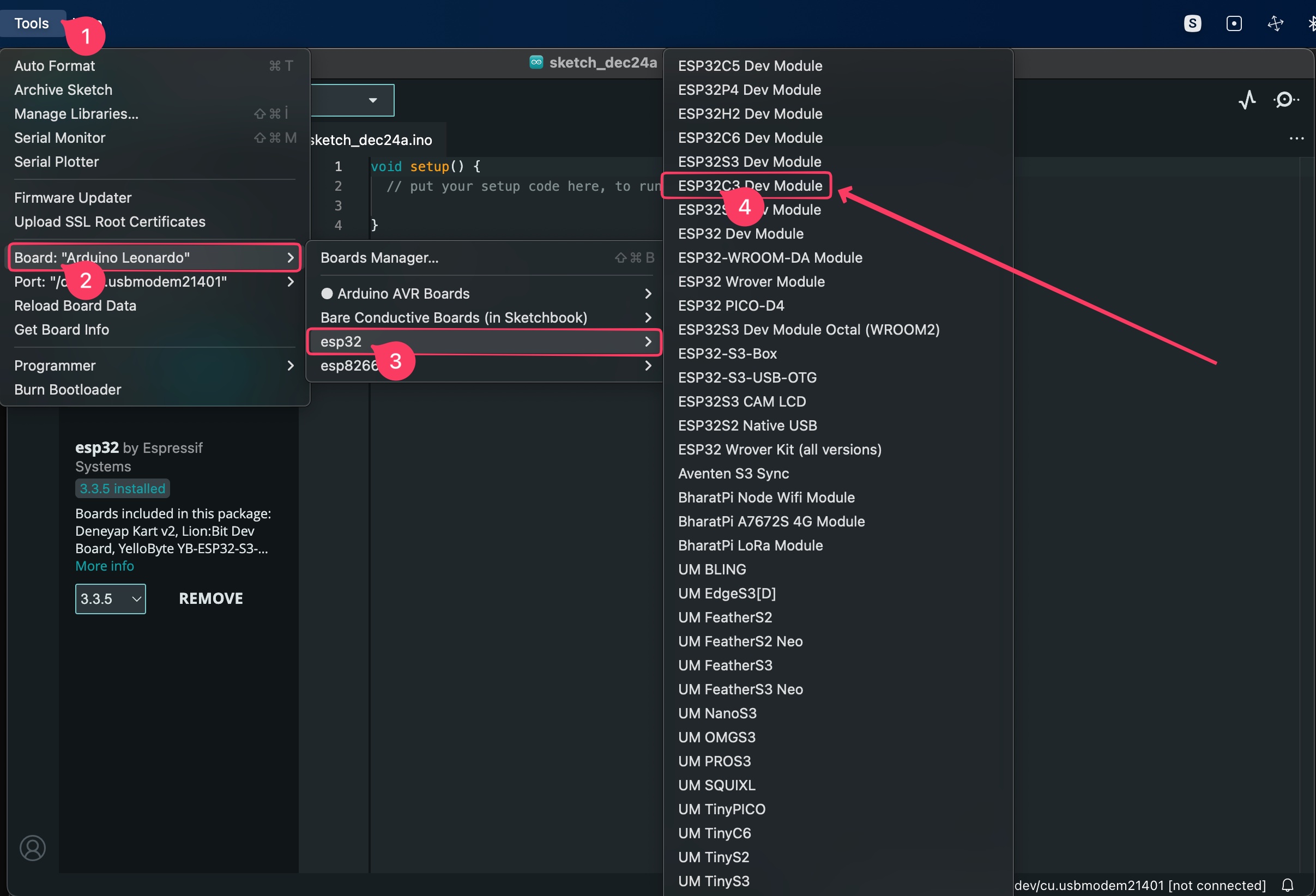
2. Choose the Correct Board: ESP32C3 Dev option.
3. Choose The Port: If you cannot see the serial port, check the USB cable or change it with another one. Some of the USB cables do not support data transfer. If you can see the port but cannot choose it, follow the instructions on step 4.
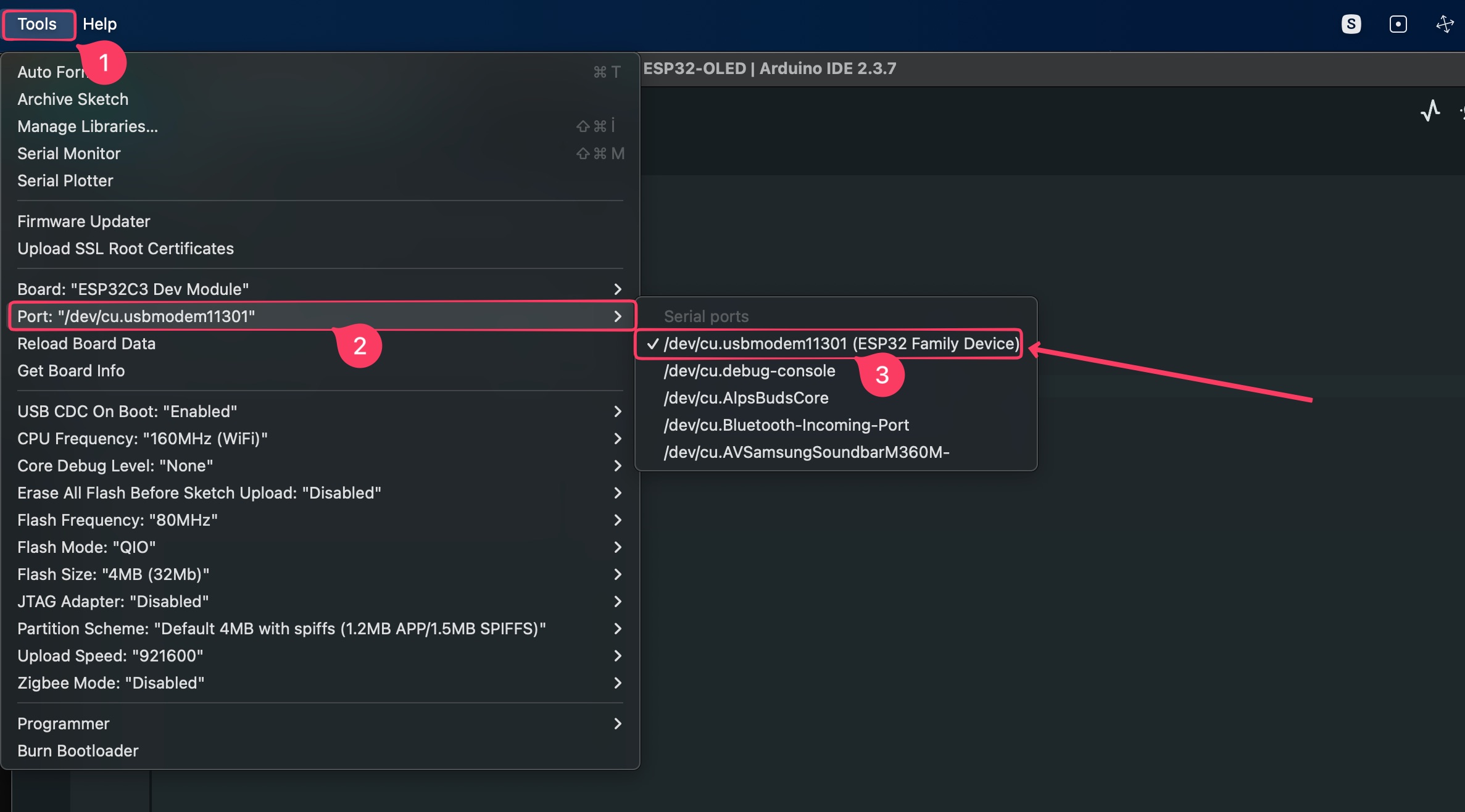
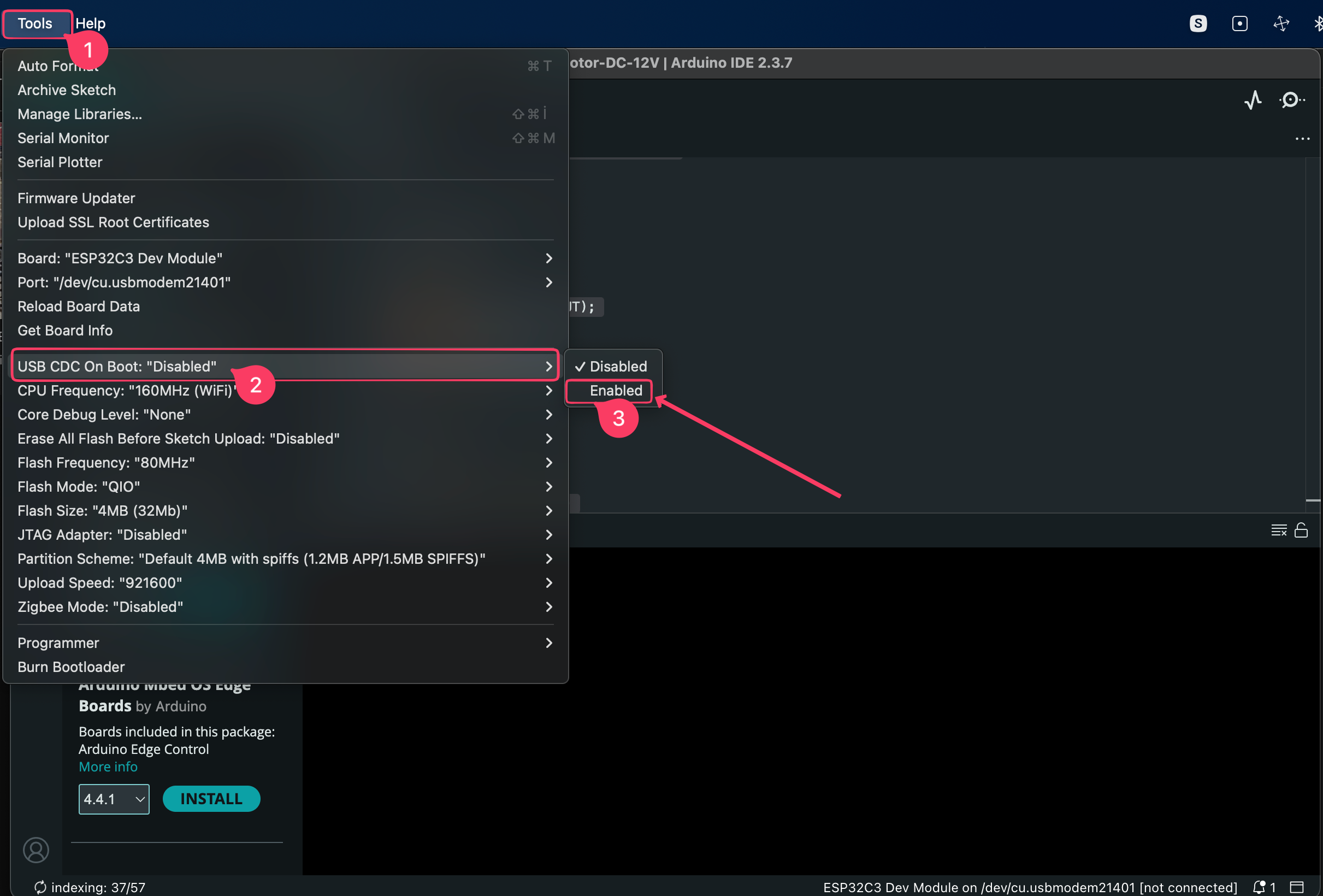
4. Enable CDC: This option is required for to set the Serial Port for communicating with the board.
5. Upload Code: Copy the following code. It utilizes ESP32-C3’s onboard led connected to PIN number 8.
// Define obboard led pin
int ledPin = 8;

void setup() {
  // initialize digital pin LED_BUILTIN as an output.
  pinMode(ledPin, OUTPUT);
}

// the loop function runs over and over again forever
void loop() {
  digitalWrite(ledPin, HIGH);       // turn the LED on (HIGH is the voltage level)
  delay(1000);                      // wait for a second
  digitalWrite(ledPin, LOW);        // turn the LED off by making the voltage LOW
  delay(1000);                      // wait for a second
}
Tutorials
- Simple ESP32 ADC Calibration This tutorial showcases how to accurately measure voltage using analog inputs.