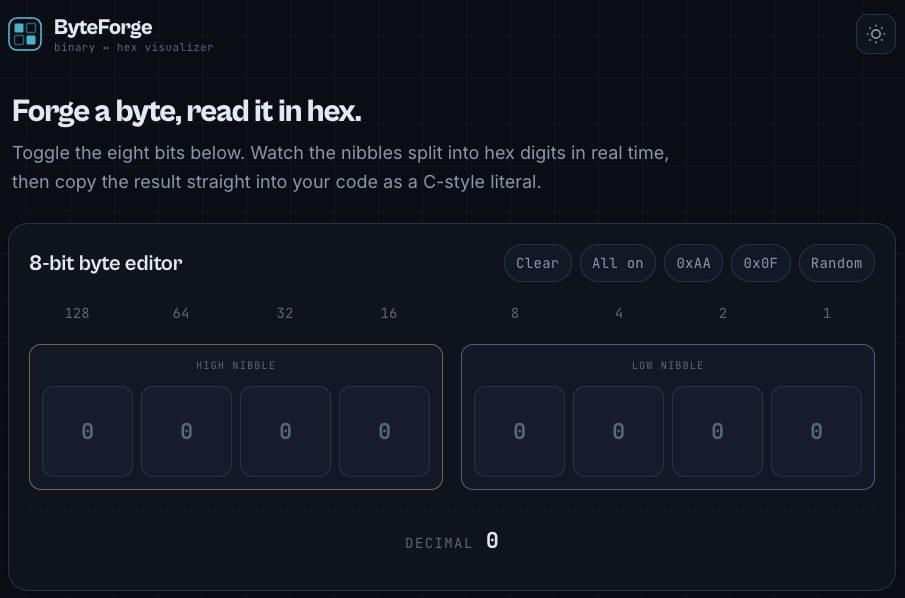
Visit the online app to try.
In computer science, binary and Hexadecimal are two different number systems used to represent data, but they serve very different roles: binary is the fundamental language of computers, while hexadecimal is a human-friendly shorthand for working with binary data.
Core Differences
| Aspect | Binary | Hexadecimal |
|---|---|---|
| Base | Base-2 (uses only 0 and 1) | Base-16 (uses 0–9 and A–F) |
| Digits | 2 symbols: 0, 1 | 16 symbols: 0–9, A–F (where A=10, …, F=15) |
| Representation | Direct electrical on/off states in hardware | Compact textual representation of binary |
| Length | Long strings (e.g., 11110011) | Shorter (e.g., F3 for the same value) |
| Human Readability | Hard to read and error-prone for humans | Much easier to read and write |
| Storage | Actual data storage format in memory/CPU | Not stored directly; converted to binary internally |
| Use Case | Machine-level operations, logic gates, memory | Debugging, memory addresses, color codes, MAC addresses |
Purpose and Use Cases
Binary
-
Fundamental data format: All digital data—text, images, programs—is ultimately stored and processed as sequences of 0s and 1s inside a computer. Individual 0s and 1s called bit.
-
Hardware logic: CPU circuits, memory cells, and logic gates operate using binary voltage levels (high/low, on/off).[youtube]
-
Bit-level operations: Used in low-level programming for flags, masks, and bitwise logic.
Hexadecimal
-
Human-readable binary: Hex compresses binary by a factor of 4—one hex digit represents exactly 4 bits (a “nibble”). For example, the binary
11110011becomesF3in hex.
(ref video: youtube) -
Memory addresses: RAM and ROM addresses are commonly shown in hex (e.g.,
0x7FFE).
(ref video: YouTube) -
Color codes: Web colors use hex notation (e.g.,
#FF5733for a shade of orange). -
Network identifiers: MAC addresses and IPv6 use hex for compactness (e.g.,
00:1A:2B:3C:4D:5E).
(ref video: youtube -
Machine code & debugging: Assembly listings and debuggers display instructions and data in hex for clarity.
(ref video: youtube)
Why Not Use Decimal?
Although decimal is familiar to humans, it doesn’t align cleanly with binary. Hexadecimal is preferred over decimal in computing because:
-
16 is a power of 2 (2^4=16), so each hex digit maps exactly to 4 binary bits.
-
Decimal has no such clean mapping, making conversion messy and error-prone.
Example Conversion
To convert binary 10100111 to hex:
-
Split into 4-bit groups:
10100111 -
Convert each:
1010= 10 =A,0111= 7 =7 -
Result:
A7in hex
(ref video: YouTube)
In short, binary is what computers use internally, while hexadecimal is what humans use to read and write binary data efficiently.